Your AI,
everywhere you type or speak
Rewrite, reply, fix grammar and translate without leaving the chat. Tap an action in the keyboard, preview the result, insert it. Or just say it out loud and let TypeMate make it sound right.
- 20 free AI actions a month
- Works in every app
- No account needed
How it works
Type → AI → Preview → Insert
Four taps, and you never leave the conversation.
- Step 1
Type as usual
TypeMate is your keyboard, so nothing changes about how you write. Or tap the mic and say it.
- Step 2
Tap an action
Rewrite, Reply, Fix, Translate — right in the toolbar. Cycle the tone with one tap.
- Step 3
Preview
The result appears above the keys. Your original text is untouched until you decide.
- Step 4
Insert
One tap replaces your selection, or the whole field, in whatever app you are in.
The actions
10 actions, one tap each
No prompts to write. Pick the action, pick a tone if you like, and the result is ready to insert.
Rewrite
KeyboardSame meaning, better words, in the tone you pick.
Reply
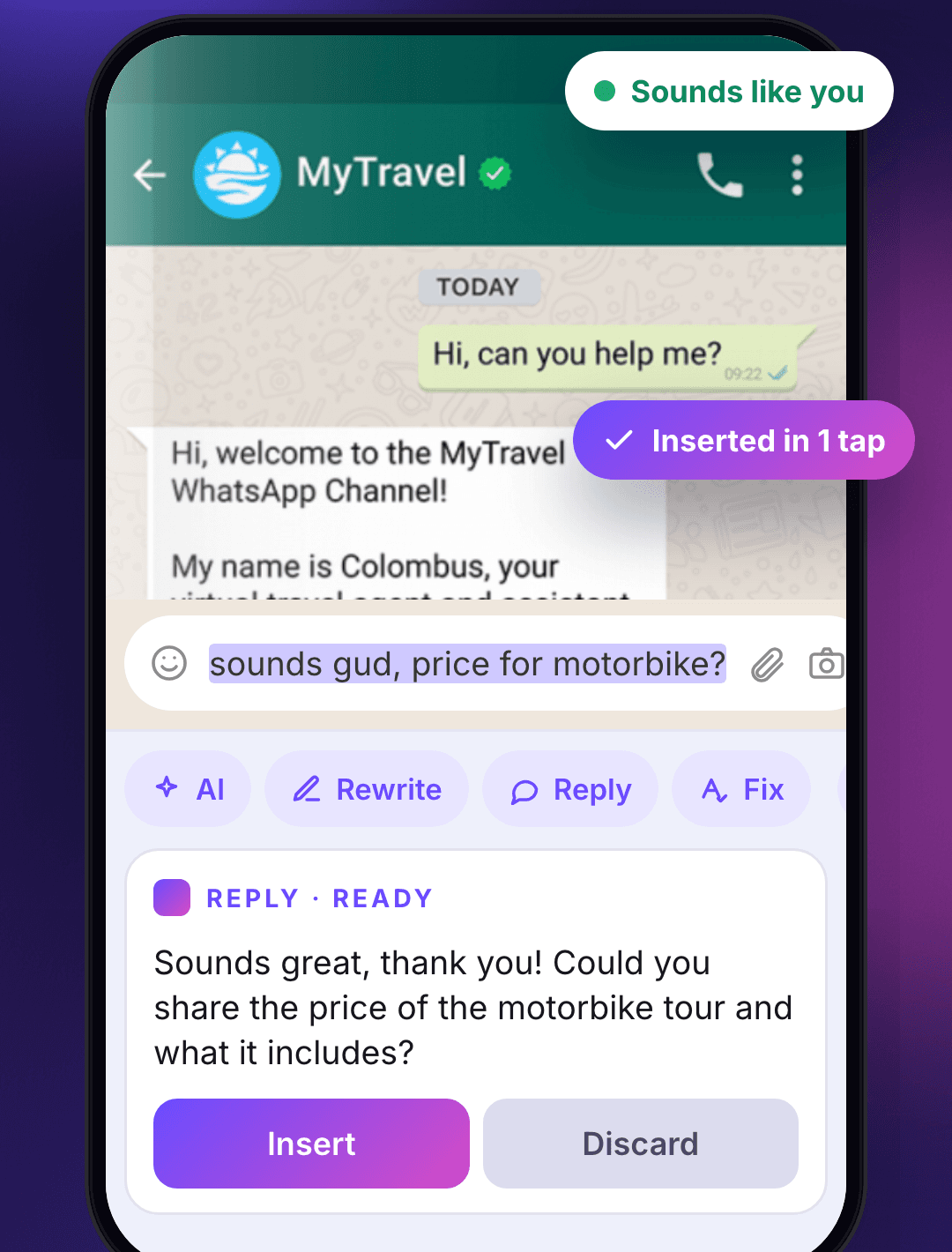
KeyboardPaste what you received and get an answer that sounds like you.
Fix grammar
KeyboardSpelling, grammar and punctuation corrected. Nothing else changes.
Translate
KeyboardBetween eight languages, keeping your tone intact.
Shorten
KeyboardEvery essential point, none of the padding.
Expand
KeyboardA rough note grows into a full message.
Summarize
KeyboardLong text down to what actually matters.
Improve
KeyboardClearer flow and stronger word choice, meaning untouched.
Generate
KeyboardDescribe the message you need and TypeMate writes it.
Chat
AppA writing partner for ideas, feedback and the right words.
Tones
- Friendly
- Professional
- Formal
- Casual
- Funny
- Emotional
- Confident
- Polite
Languages, for writing and dictation
- English (US)
- Bangla
- Spanish
- French
- German
- Hindi
- Arabic
- Japanese
“Keyboard” means the action is one tap away in the toolbar. Every action also works in the app.
What it does
Built for the moment you are already typing
Most AI writing apps make you leave the conversation. TypeMate stays where the conversation is.
A real keyboard, not a floating bubble
TypeMate replaces your keyboard, so the AI toolbar is there in WhatsApp, Gmail, Messenger, Slack, your notes app — every field on your phone. Password fields switch the AI off automatically.
Speak it, send it polished
Dictate with your phone’s recognizer for free, or let TypeMate AI transcribe any language on any phone for one credit. Then polish it or tell it what to write.
Four keyboard languages
English, Bangla, Arabic (right-to-left) and Spanish, each a proper layout. Tap the globe to switch or hold the space bar for the menu; dictation follows.
Select text, tap TypeMate
It also lives in Android’s text-selection menu and the share sheet, so it works even when you keep your old keyboard.
8 tones, 8 languages
From Friendly to Formal, English to Bangla. Cycle the tone from the keyboard; Translate keeps your voice intact.
Saved prompts and history
Keep the instructions you use often and reuse any past result. Sign in and they follow you to your next phone.
Nothing is read until you ask
No keystrokes are logged or sent. Only the text you choose to act on goes to the model, and only when you tap an action. Delete your history any time.
A look inside
TypeMate in the apps you already use
WhatsApp, Facebook, Gmail and the companion app, with the keyboard doing the work.
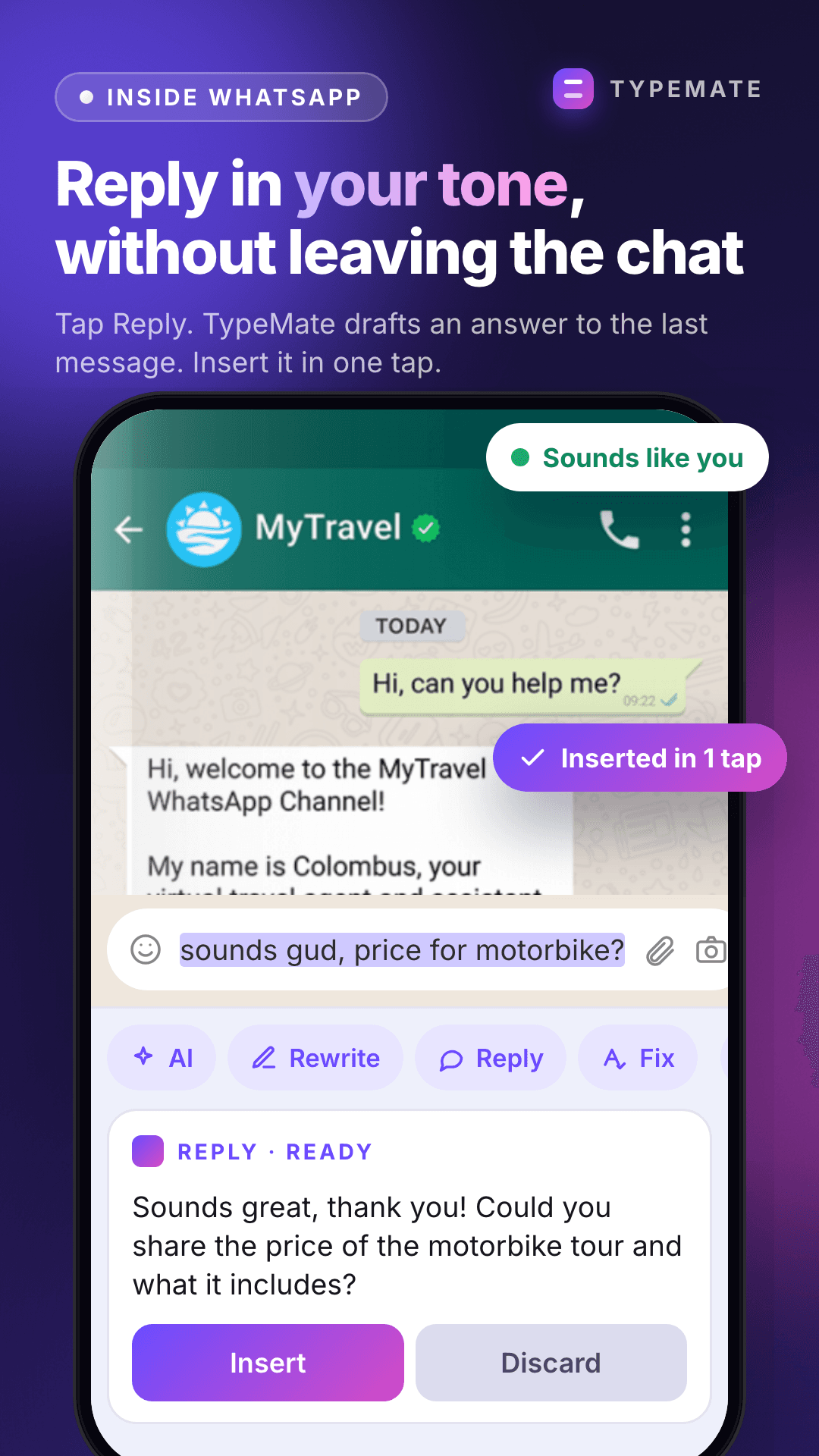
Reply in your tone inside WhatsApp
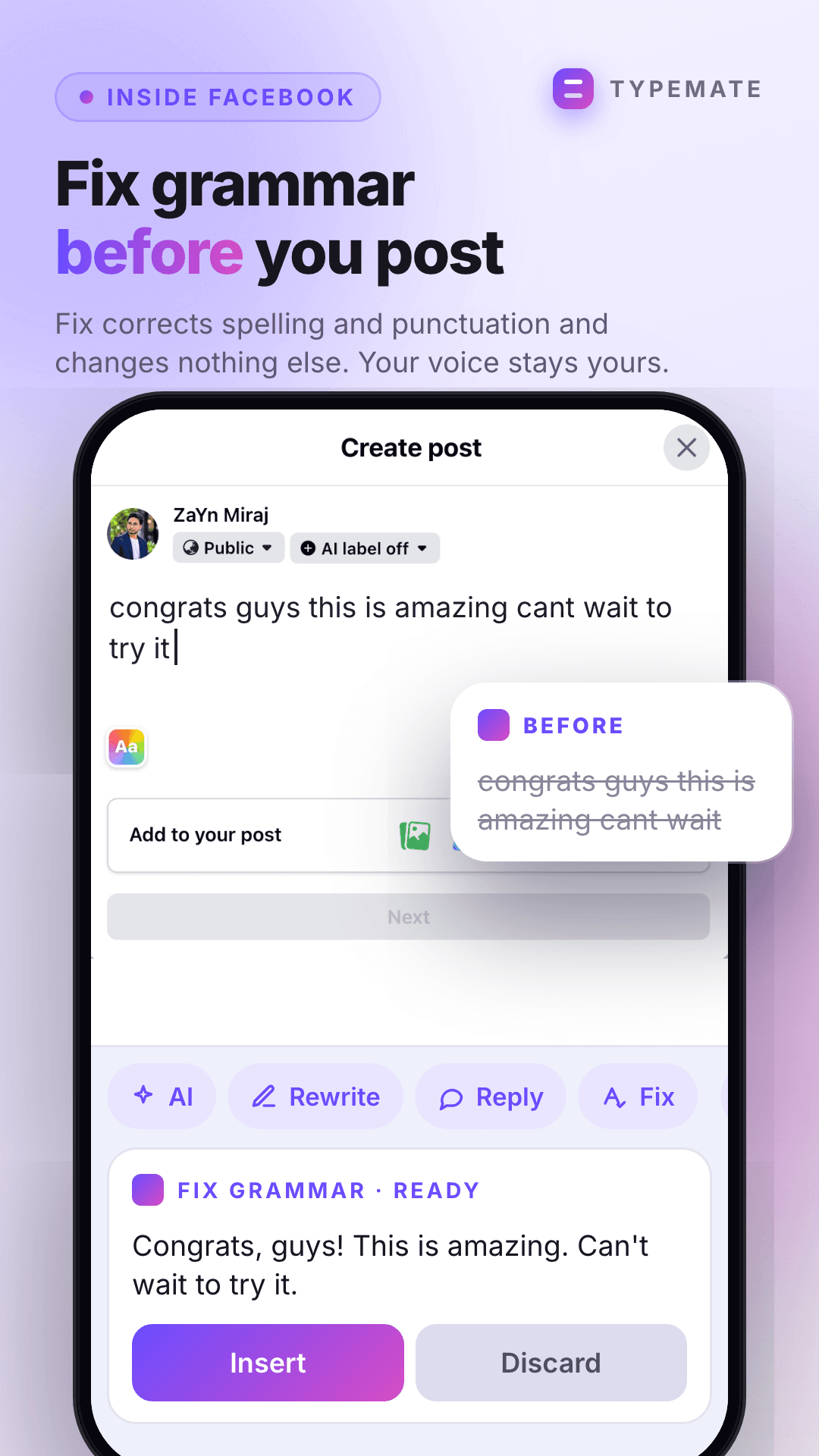
Fix grammar before you post on Facebook
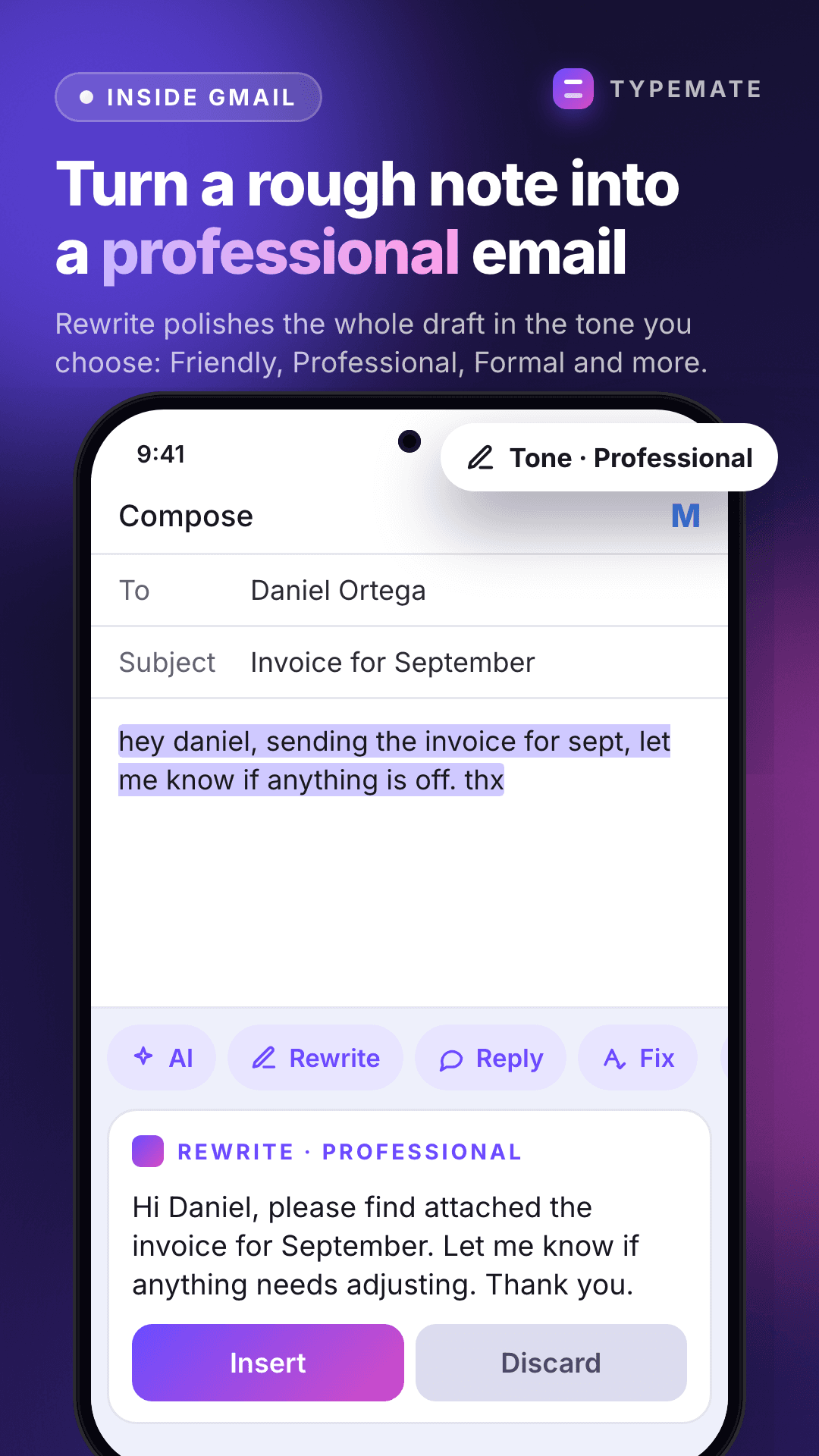
Rewrite a rough note as a professional email
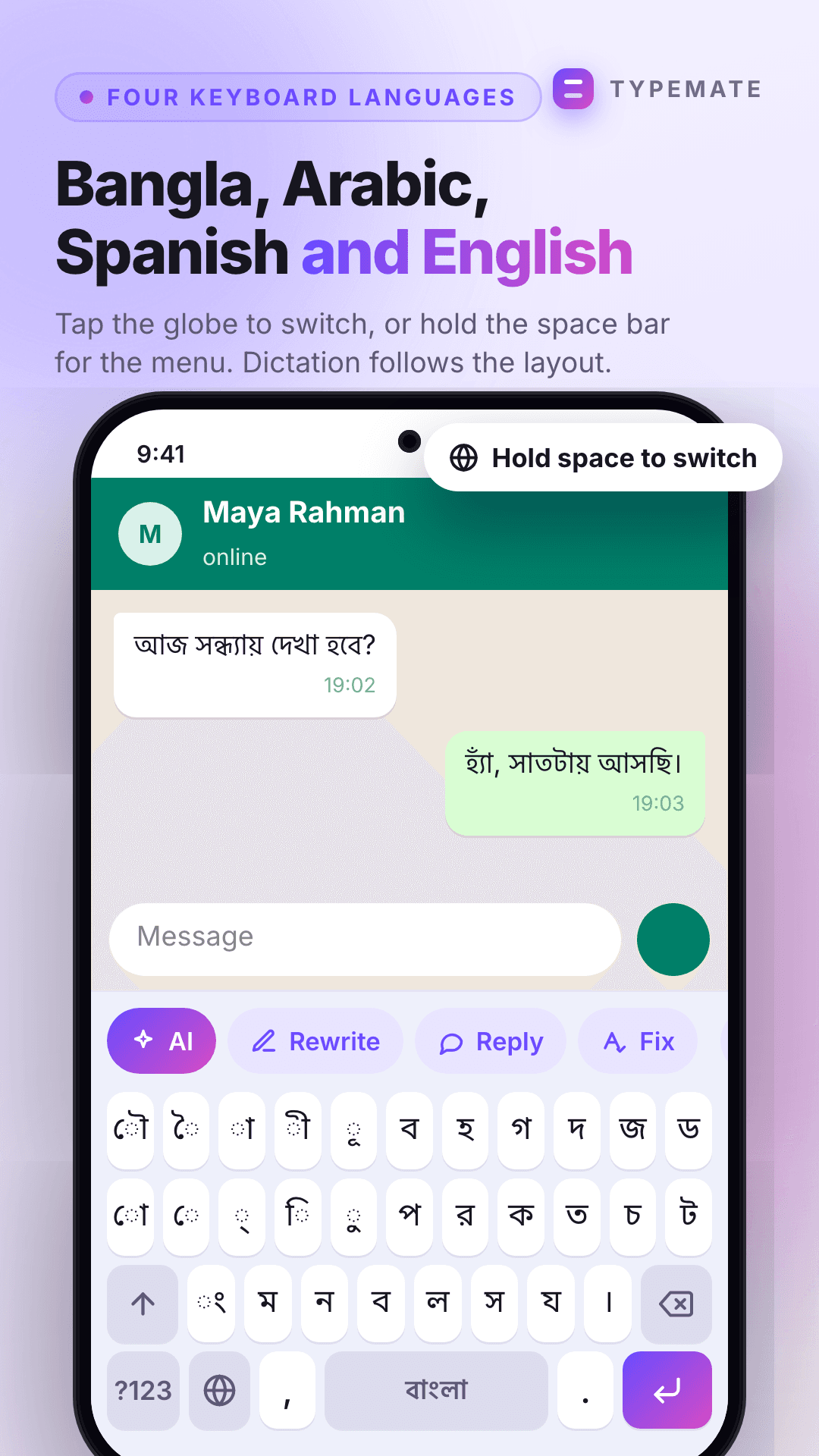
Bangla, Arabic, Spanish and English layouts
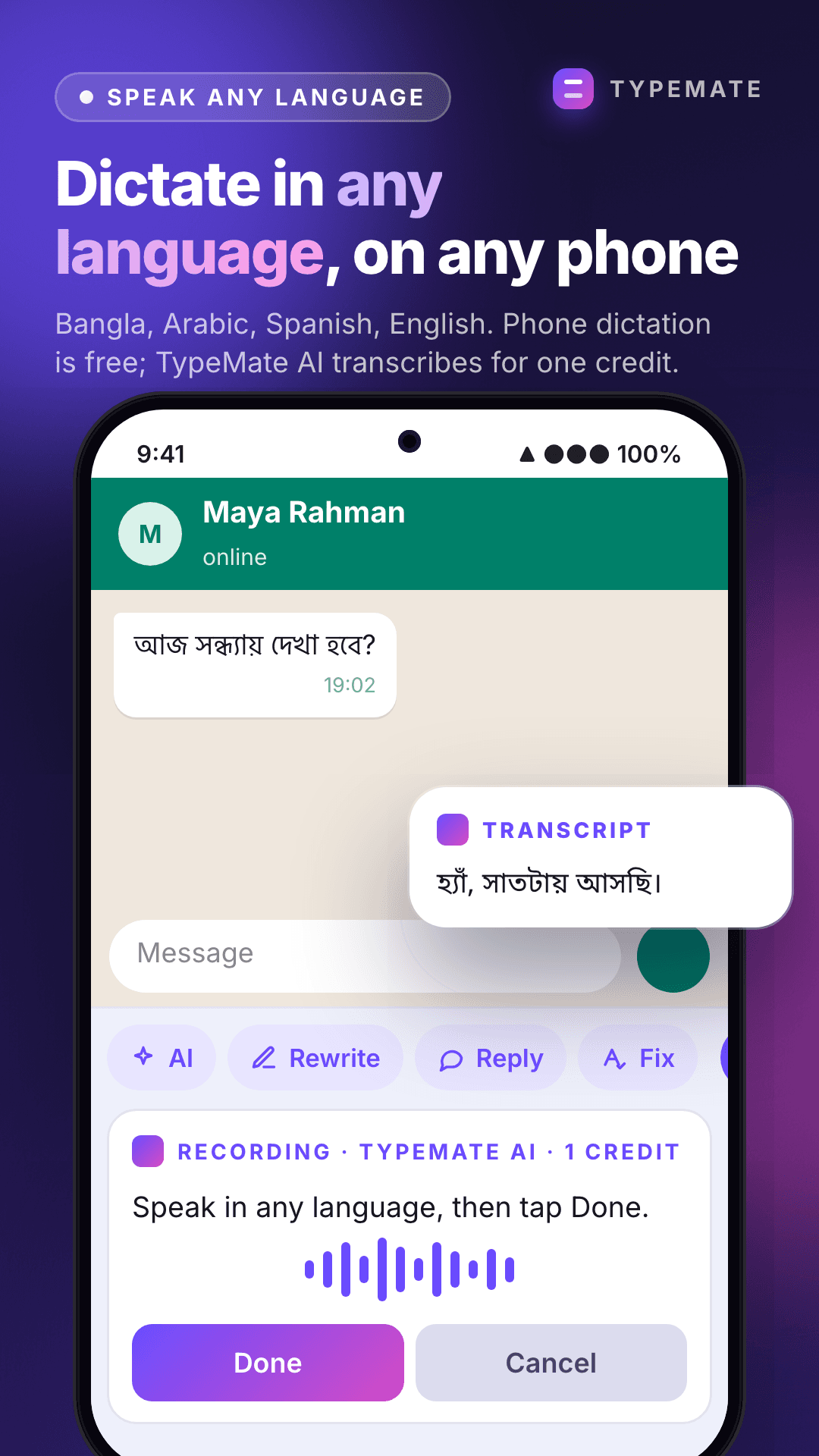
Dictate in any language with TypeMate AI
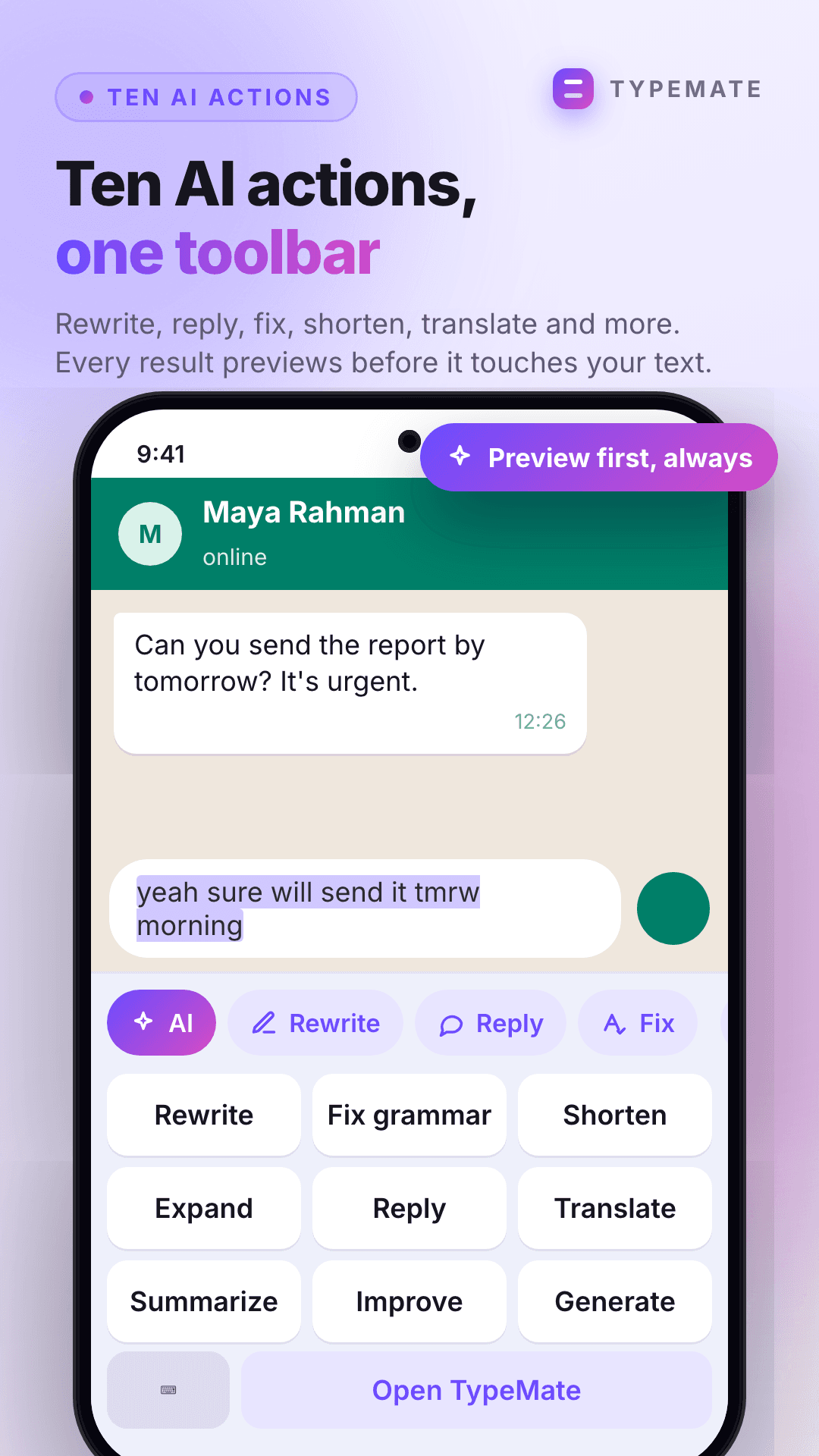
Ten AI actions in one toolbar
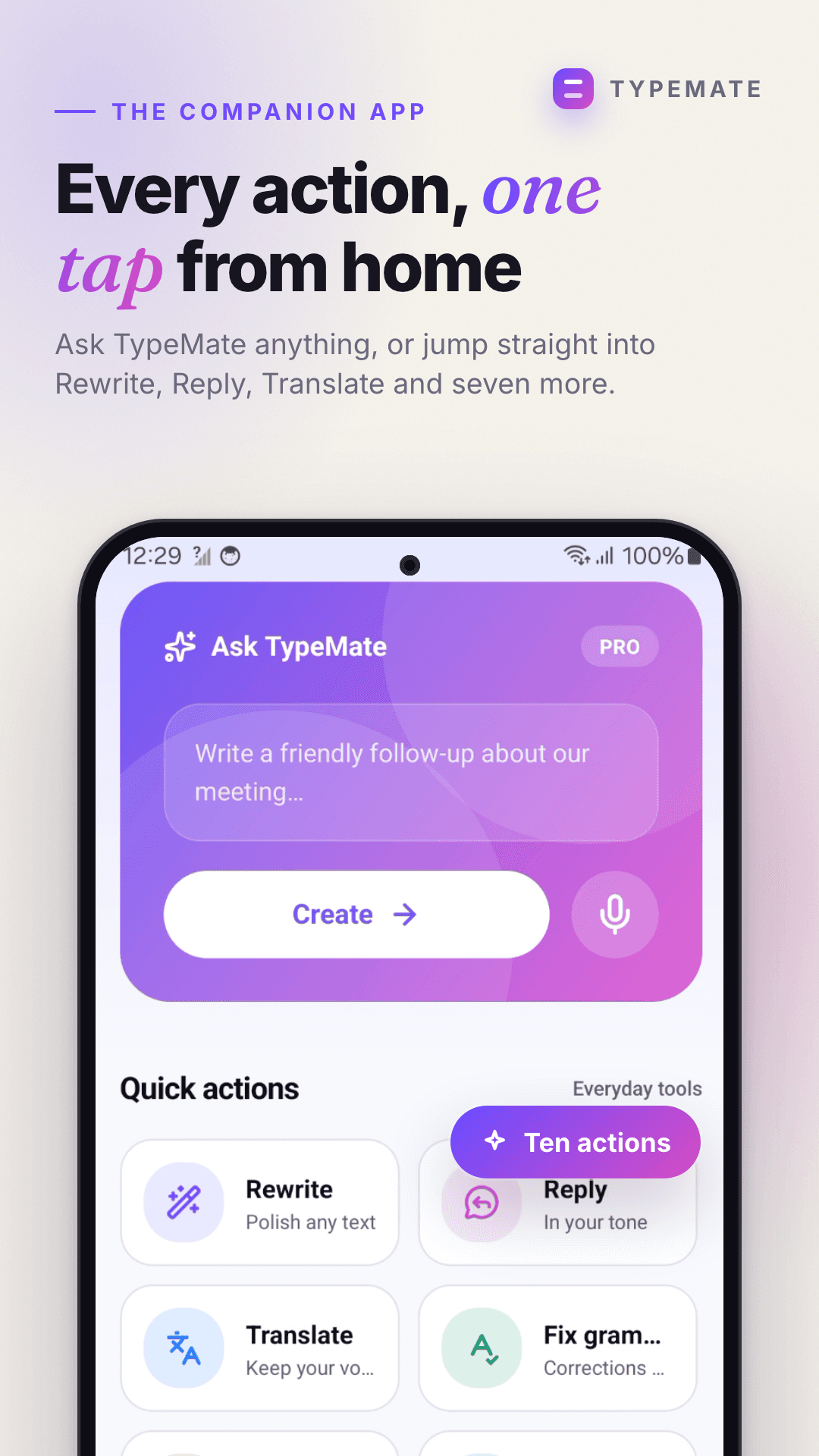
The companion app: every action a tap from home
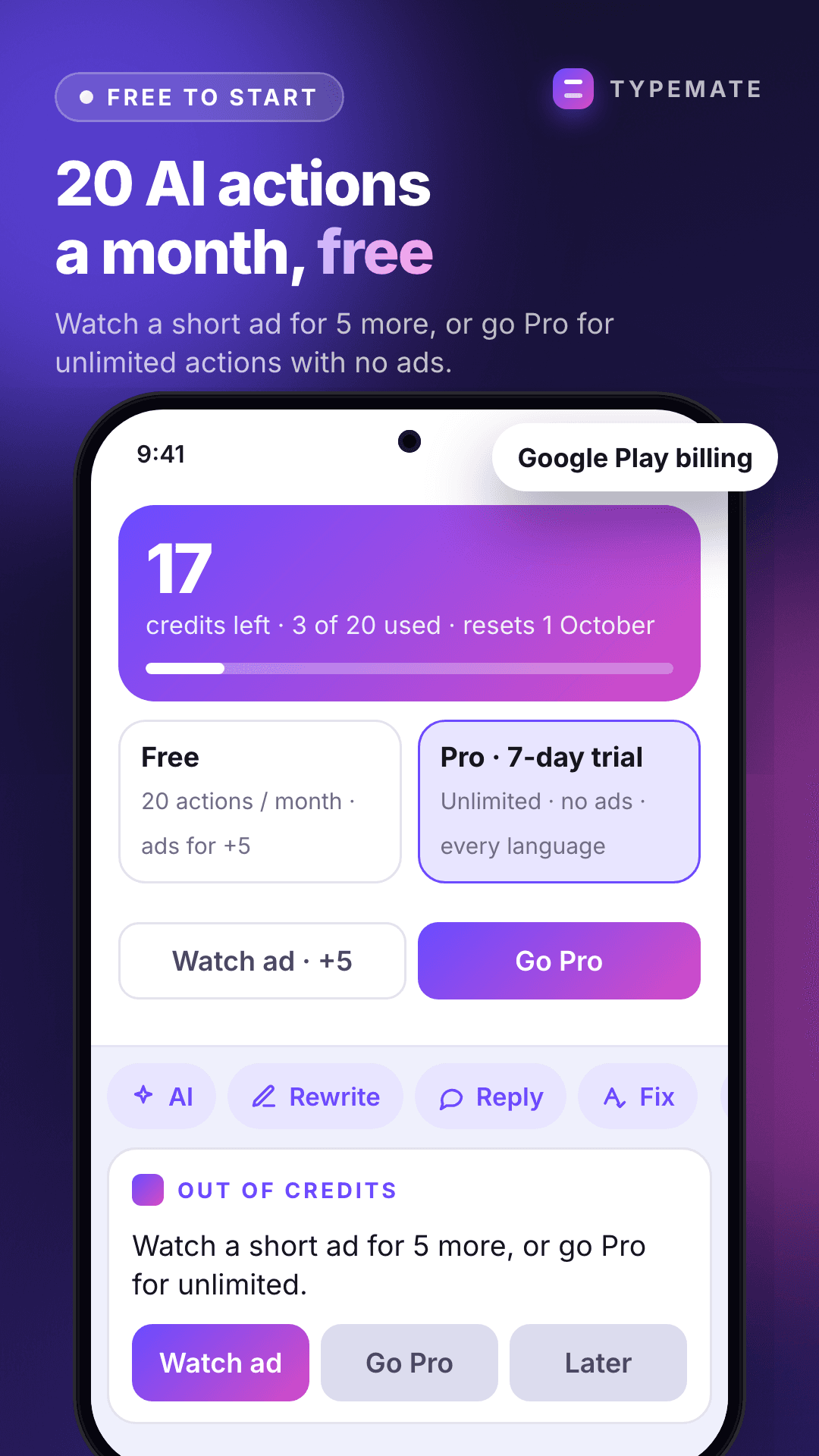
20 free actions a month, Pro for unlimited
Pricing
Free every month. Pro when you want no limit.
Your 20 free actions come back on the first of every month. No card to start.
Free
$020 AI actions a month, the whole keyboard, voice, and every tone and language. Watch an ad for 5 more when you need them.
Pro7-day free trial
$8.99/moUnlimited actions and no ads. $79.99 a year is about 25% less. Cancel any time in Google Play.
| Feature | Free | Pro |
|---|---|---|
| The keyboard, voice and selection menu | ||
| All 10 AI actions | ||
| AI actions | 20 a month | Unlimited |
| Top up by watching an ad | +5, up to 3 a day | Not needed |
| Ads | Only when you choose to watch one | None |
| All tones and languages | ||
| Saved prompts and history | ||
| Sync across devices |
Prices shown in US dollars. Google Play charges in your local currency at its own rate.
Better words in every app, starting with the next message you send
Install, enable the keyboard, and 20 AI actions are yours this month and every month. No card, no account, nothing to cancel.
Questions
Before you install
TypeMate AI is an Android keyboard with AI built in. Instead of switching to a separate app, you tap an action in the keyboard toolbar — rewrite, reply, fix grammar, translate, shorten, expand, summarize, improve or generate — preview the result and insert it into whatever you were typing. It also takes dictation, works from the text-selection menu and the share sheet, and comes with a companion app for chat, saved prompts and history. You get 20 free AI actions every month; Pro removes the limit.
Yes. TypeMate is a real Android keyboard (an input method), so once you enable it in Settings and choose it as your keyboard it appears in every app with a text field. Android shows a standard warning when you enable any third-party keyboard; that is Android, not us.
One AI action, such as one Rewrite or one Translate, costs one credit. You get 20 every month, and they reset on the first of the month. Typing on the keyboard, dictation and using the app never cost credits — only AI actions do.
You can watch a short ad for 5 more credits, up to 3 ads a day, or go Pro for unlimited actions. Ads only ever appear in the TypeMate app when you choose to watch one — never inside the keyboard.
Nothing you type is read or sent anywhere until you tap an AI action. When you do, only that text is sent to Google’s Gemini model to produce the result. Password fields are never processed: the AI buttons switch off automatically in them. Your history stays on your phone unless you sign in and choose to sync it, and you can delete it any time.
Dictation can use your phone’s own recognizer, which works offline on Android 12 and newer once the language pack is downloaded. The default “Auto” mode uses Google’s online recognizer when you are connected and switches to on-device when you are not. AI actions themselves need a connection.
8 today: English, Bangla, Spanish, French, German, Hindi, Arabic and Japanese, for both writing and dictation. Translate works between any of them.
No. The keyboard and every one of the actions work without one. Signing in with Google or email syncs your saved prompts, preferences and history metadata across devices.
Not yet. TypeMate is Android only today; an iOS keyboard is on the roadmap.
Through Google Play, like any subscription — Play Store, Payments and subscriptions, then cancel. You keep Pro until the end of the period you have already paid for. The 7-day trial can be cancelled the same way.
Yes. Nothing is locked behind Pro — the only difference is how many actions you can run each month, and Pro removes ads.